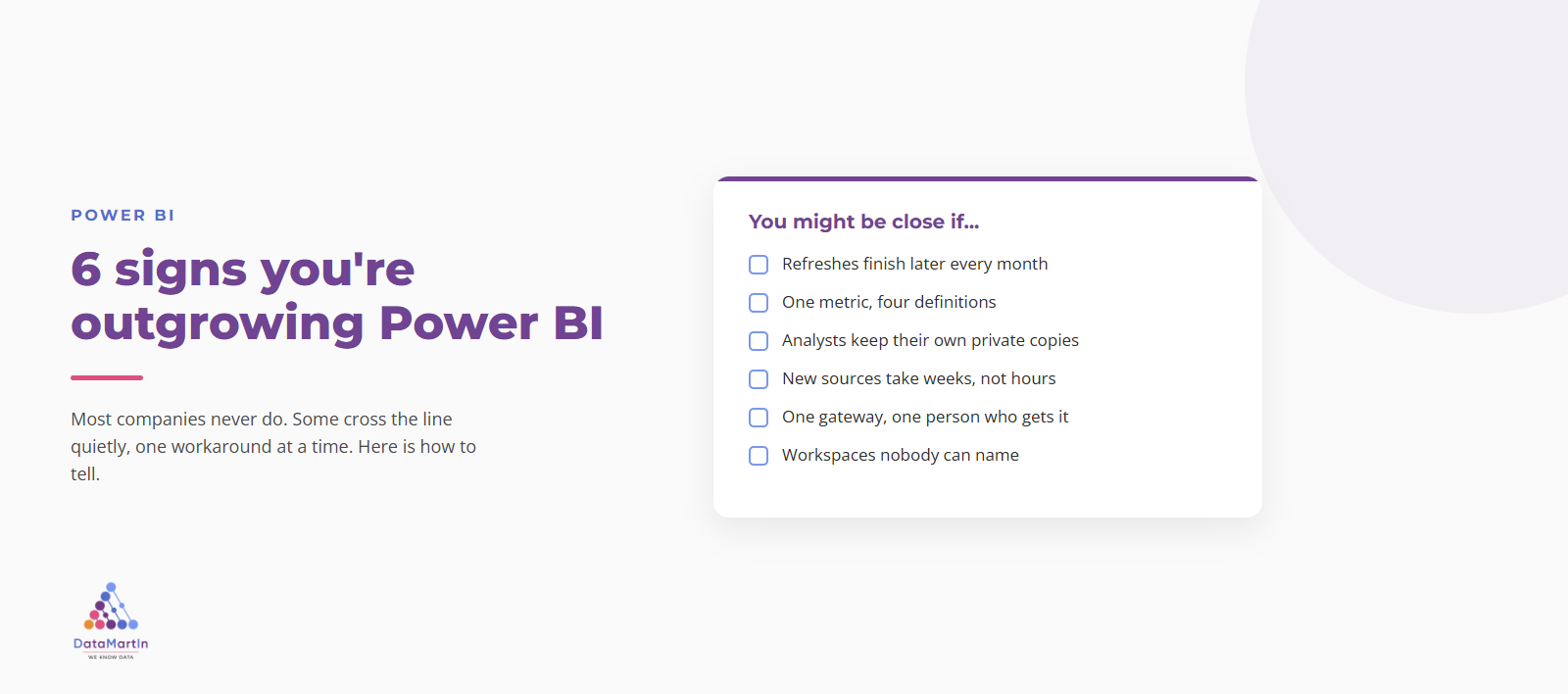
6 signs you’re outgrowing Power BI
Most companies never outgrow Power BI. Some do, and it happens quietly. Here are six signs you have crossed the line, and what to do next.
Field notes, deep dives, and licensing breakdowns from twenty years of building on Power BI, Fabric, and Azure analytics.
Most companies never outgrow Power BI. Some do, and it happens quietly. Here are six signs you have crossed the line, and what to do next.
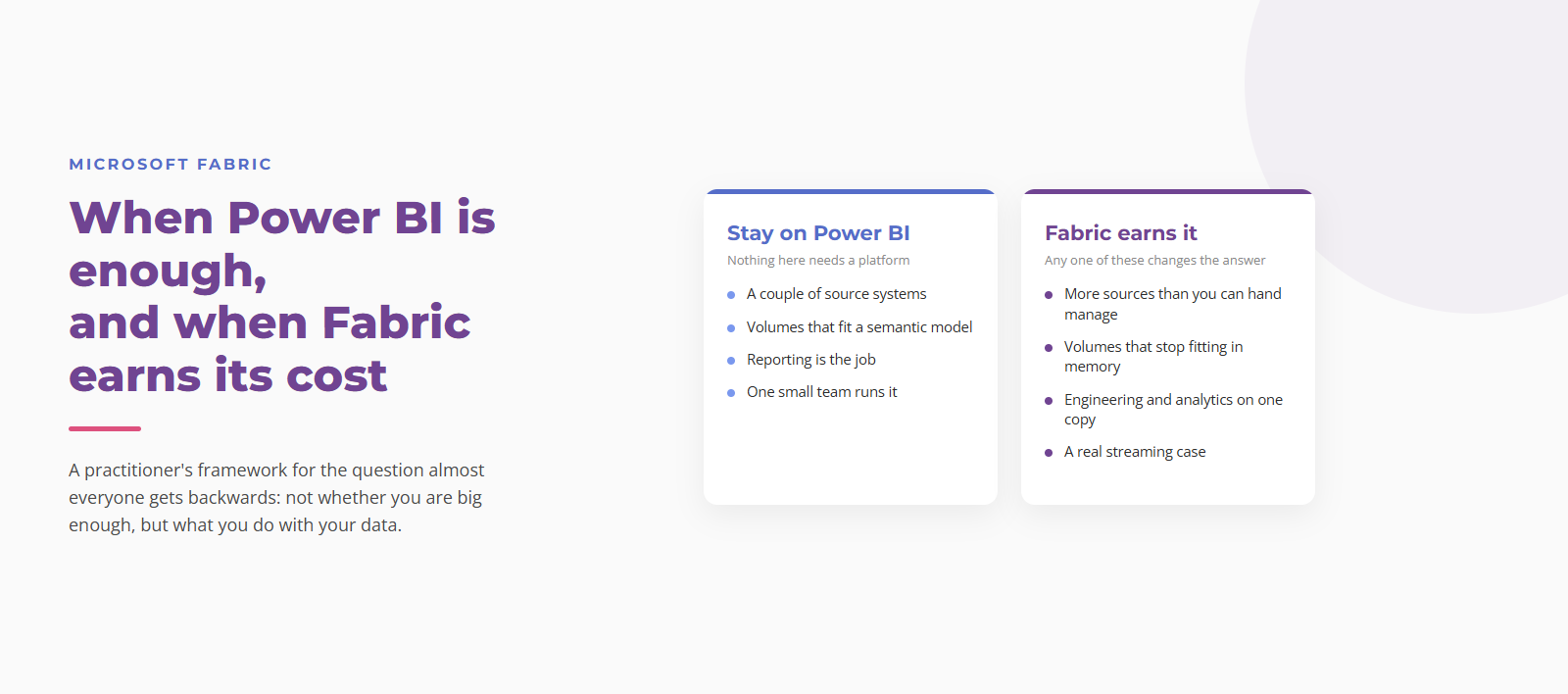
When Power BI is genuinely enough, when Microsoft Fabric is worth starting early, and what a capacity really costs. A practitioner’s decision framework.
Walk into almost any bank, credit union, or insurer and you find the same problem: every system reports its own totals and reconciling them burns days. Here is the Microsoft Fabric reference architecture that fixes it, and why the certified semantic model, not the plumbing, is the product.
Most data teams considering Microsoft Fabric training go straight to DP-600 or DP-700. There is a quieter catalog underneath it that fits most teams better: one-day courses (DP-601, DP-602) and Microsoft Applied Skills credentials. Here is when to pick which.

Naming conventions are the thing every Fabric project starts with good intentions and abandons by month three. The fix is not better discipline. It is AI as a deterministic enforcement layer. Here is the standard I use on every project, in five rules.
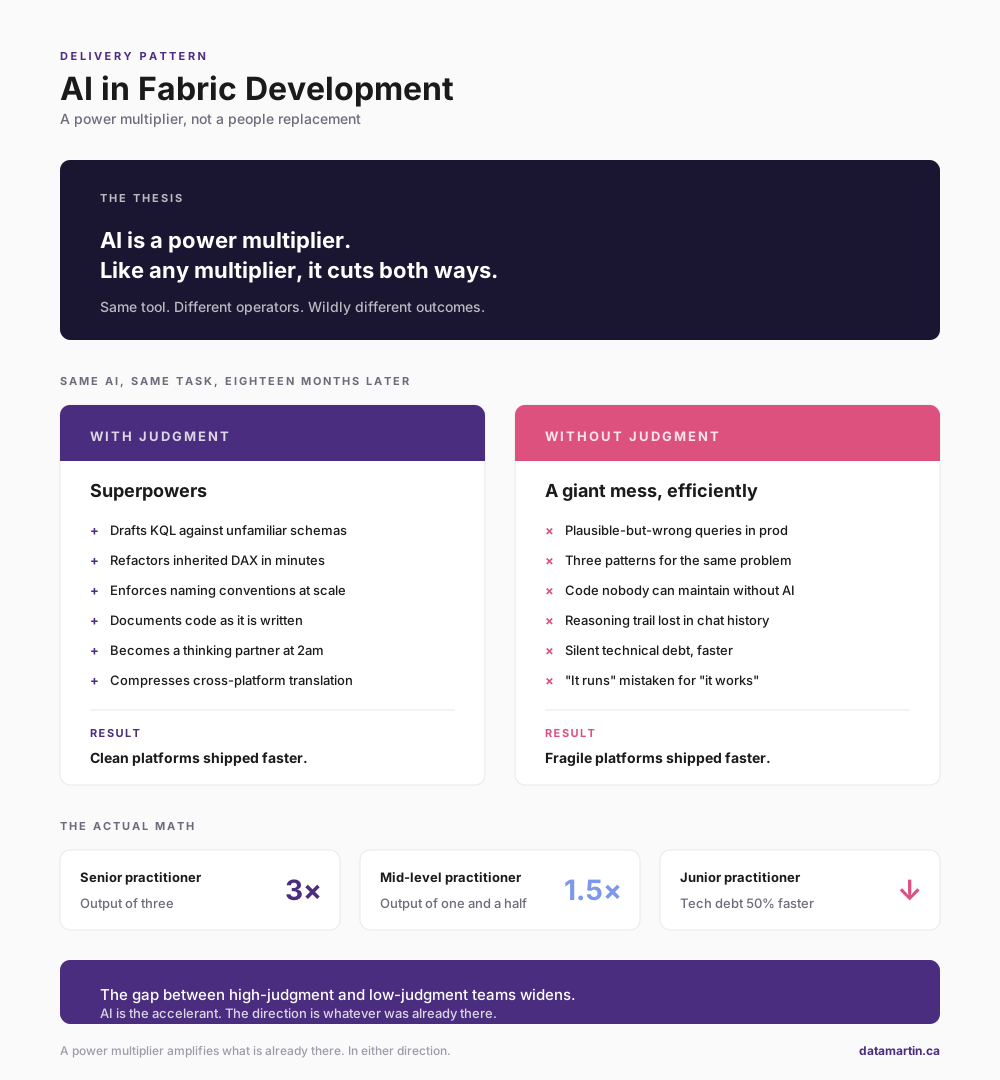
Most of what is written about AI in data work falls into two buckets: AI will replace developers within two years, or AI is glorified autocomplete. Both are wrong. After months of daily use on Microsoft Fabric engagements, the honest answer is that AI is not a people replacement but a power multiplier, and like…
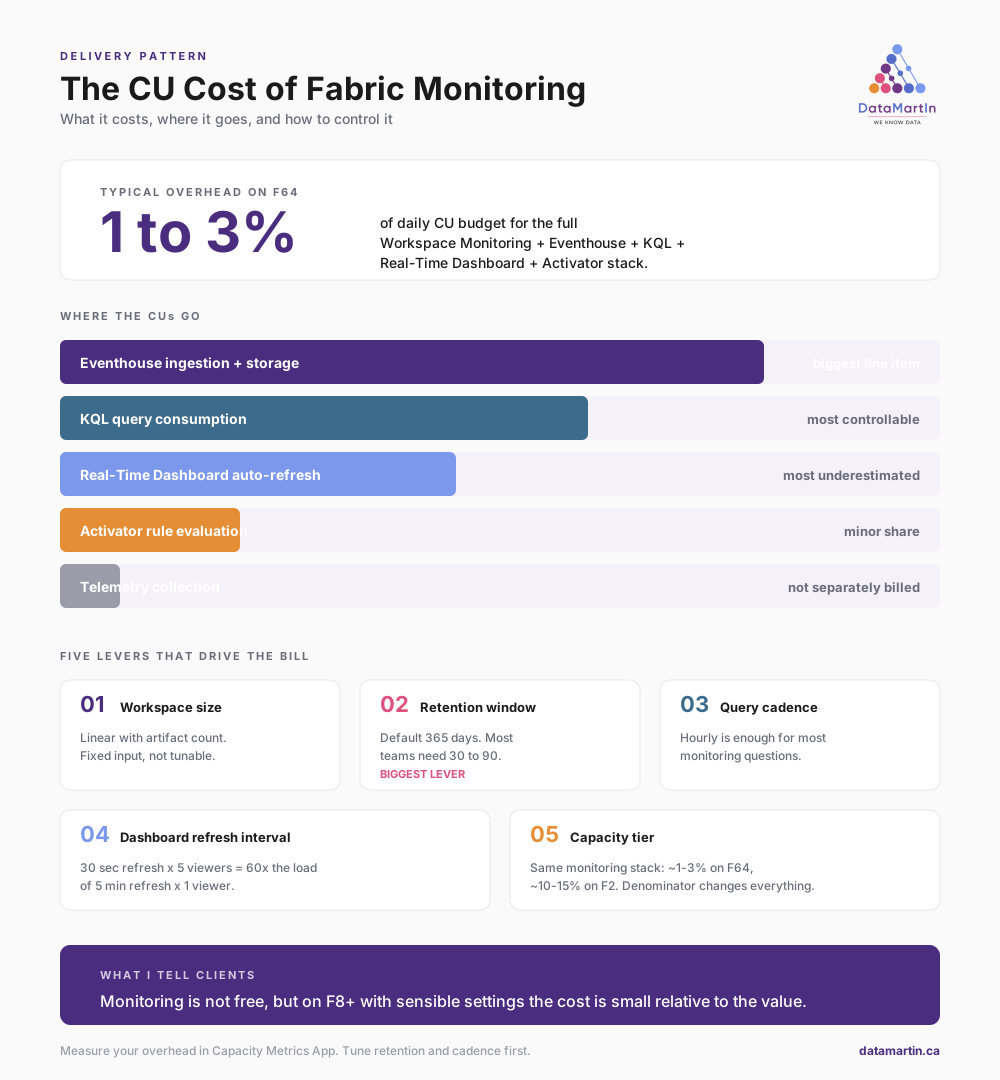
A reader asked the right question after our last post on three-layer pipeline monitoring: what does it cost in CUs? Microsoft has not published authoritative figures, and the Capacity Metrics App will not separate monitoring overhead from everything else your Eventhouse is doing. The only way to get a real number is to measure. Here…
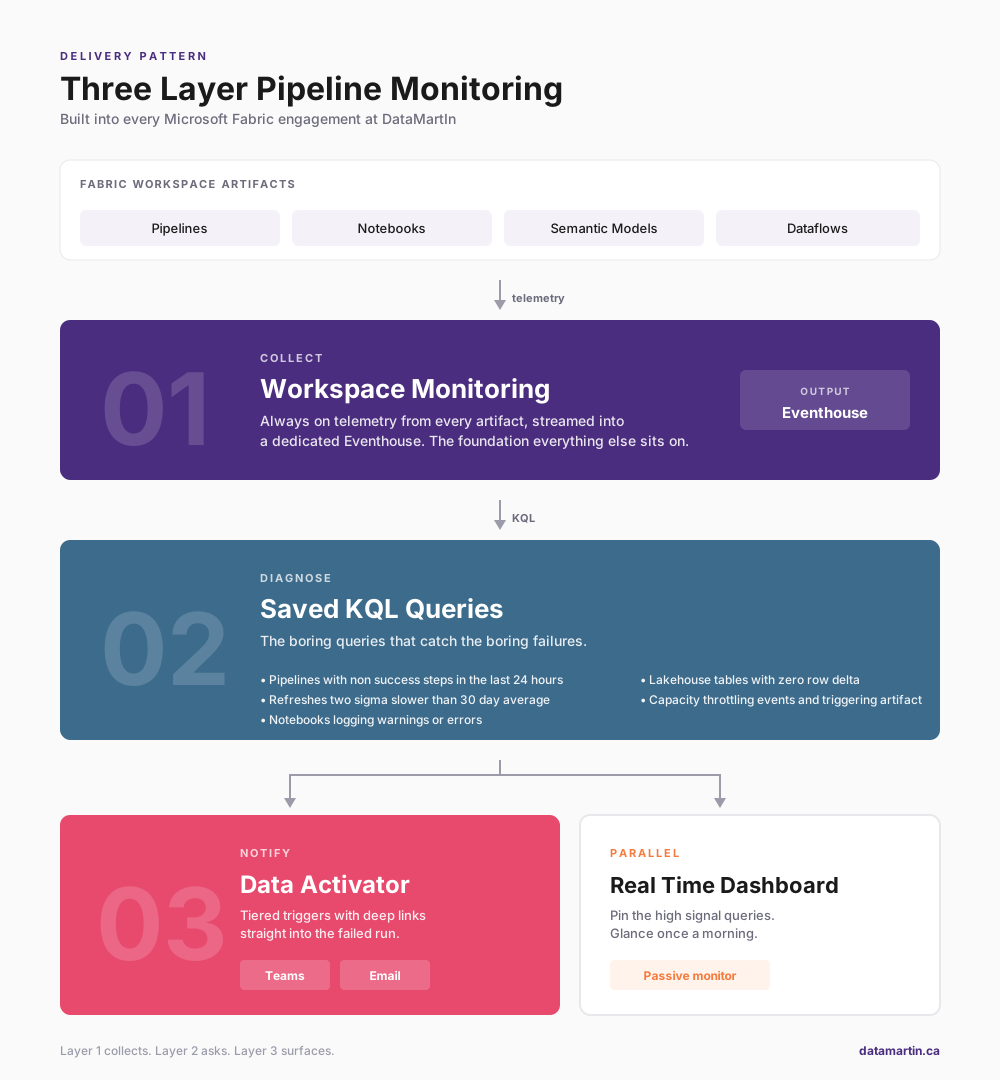
Out of the box, Microsoft Fabric pipelines fail in ways that are easy to miss. After a couple of years shipping Fabric platforms into production, we now deploy the same three-layer monitoring pattern on every engagement: collect with Workspace Monitoring, diagnose with saved KQL queries, notify with tiered Data Activator triggers.

Five days in Atlanta at FabCon + SQLCon 2026. The most useful signal at a Microsoft conference is not the keynote — it is the hallway, the session Q and A, and the conversations with the engineers who built the thing you are deploying on Monday morning. Here is what I brought home: three things…
Hard to Believe It’s December Already: My Year of Learning Microsoft Fabric As the year winds down, I find myself reflecting on what a journey it’s been. Honestly, it’s hard to believe we’re already stepping into December! This year, for me, was all about diving deep into Microsoft Fabric—really getting to know how it works…

To wrap up this series, here’s a compilation of the most frequently asked questions I’ve received about fabric licenses, as well as those I’ve come across in posts and videos that have helped me understand it better. I hope they are helpful to you too! 1. Is Microsoft Fabric included with Power BI Premium? Yes,…
Since there is currently no exact formula for calculating the capacity size you will need, it is recommended that you start with the Fabric trial (which allows to test Fabric with 64 CUs performance) or choose a pay-as-you-go Fabric capacity size for testing and then, use the Microsoft Fabric Capacity Metrics app, which allows users…