Nobody outgrows Power BI on a Tuesday. There is no alarm, no error message that says “you have reached the edge of this tool.” It happens slowly, one small workaround at a time, until one day you look up and realize you are spending more effort keeping the reports alive than actually answering questions with them.
Here is the good news first: most companies never get there. Power BI is a genuinely capable platform, and plenty of organizations run it beautifully for years without ever needing anything bigger. If that is you, wonderful, carry on.
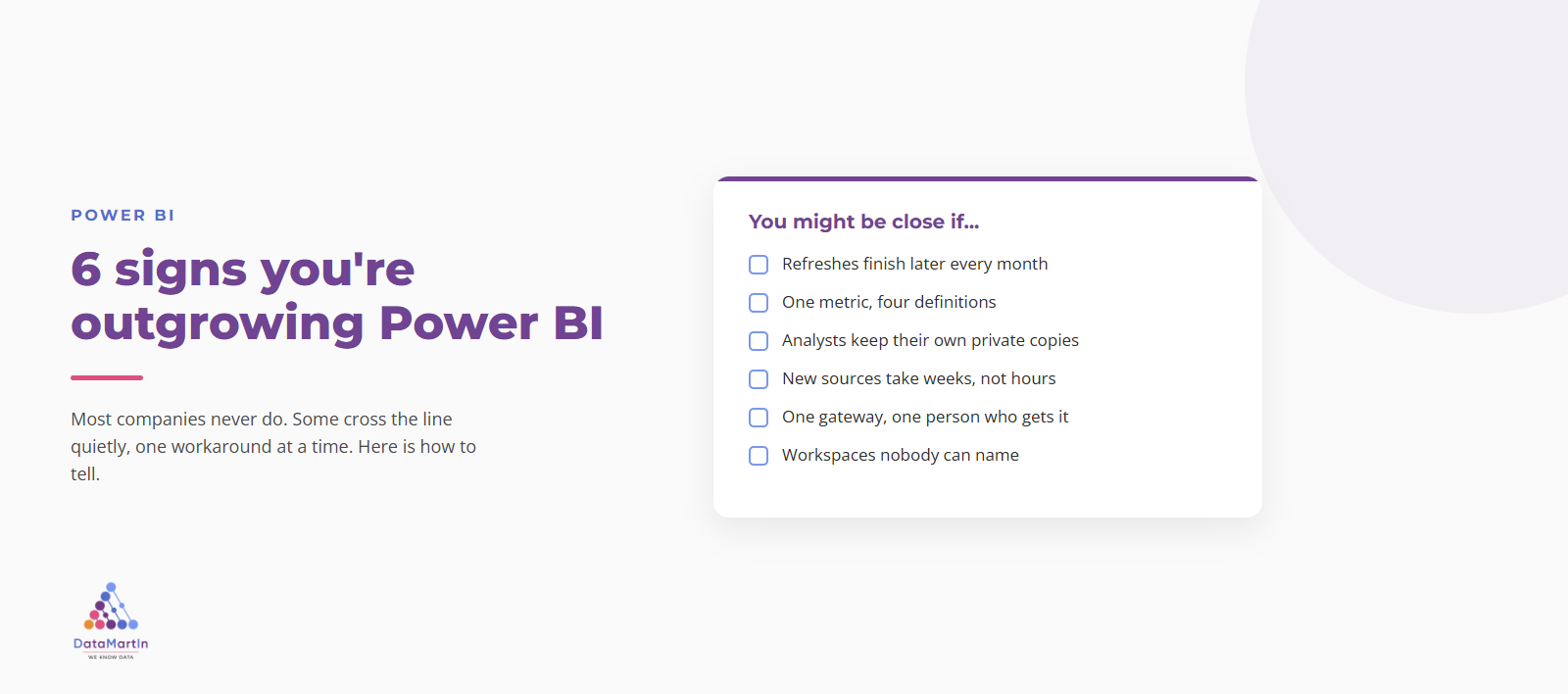
But some estates do cross a line, and because it happens quietly, it is easy to miss until it gets expensive. So here are six signs, drawn from the estates I walk into, that you might be getting close. None of them means “panic and migrate tomorrow.” One on its own is usually just a thing to fix. Three or four at once is a pattern, and a pattern is worth paying attention to.
1. Your refresh keeps finishing later
It used to be done by 6am. Now it is 8. Someone trimmed a few columns to buy time, then trimmed a few more. There is a quiet little ritual where somebody checks in the morning to see whether it actually finished.
A refresh creeping past its window is the most honest signal you have, because it is a number and numbers do not flatter you. Import mode compresses impressively and the ceiling is higher than most people think, so one slow refresh is not a crisis. But when you are actively shrinking the model just to keep it loading, you are not managing a model anymore, you are negotiating with it.
2. Nobody agrees on what the numbers mean
Someone says revenue was X. Someone else says no, it was Y. Both of them are reading a Power BI report. Both reports are “right,” because the measure got defined four different ways by four different people and all four are live.
This one is sneaky because it does not look like a tooling problem, it looks like a meeting problem. But what is really happening is that your definitions have outgrown the place you keep them. The fix that scales is structure: consistent naming, one owner per metric, a single place the truth lives. That is cheap to put in early and miserable to impose late, which is exactly why I keep going on about naming conventions that hold up in production.
3. Your analysts have started hoarding their own copies
You notice a private export. Then a few more. An analyst has quietly built their own extract off to the side, because the real model is too slow, or does not have the field they need, or they just got tired of waiting.
Every one of those side copies is a small vote of no confidence in the central model, and by Thursday two of them disagree. When the people who are supposed to use your single source of truth start routing around it, it has stopped being single, and it has stopped being the truth.
4. Adding a new data source has become a project
Remember when plugging in a new system was an afternoon in Power Query? Now it is a week. There is a spreadsheet of connections somewhere, a couple of gateways, a dependency nobody wrote down, and a person you have to check with before you touch any of it.
When ingestion itself becomes the slow part, that is a real signal. Power BI was built to report on data, not to be your ingestion platform, and the moment “getting the data in” is the bottleneck, you have handed it a job it was never meant to do.
5. There is one gateway, on one laptop, that one person understands
You know the one. If that person is on vacation and it breaks, nobody sleeps. The whole operation quietly depends on a machine under a desk and a colleague who has somehow never been able to take two weeks off in a row.
A data platform is an operational surface, and somebody has to own each part of it: watching it, sizing it, knowing why it broke. When “the platform” is really one undocumented gateway and one irreplaceable human, you do not have a platform, you have a single point of failure in a trench coat. The opposite of that, what owning the surface properly looks like, is the three layers of monitoring we put on every engagement.
6. You have lost track of who owns which workspace
There are now more workspaces than anyone can name. Some belong to people who left. A few are obvious duplicates. When something breaks upstream, working out what depends on it is an archaeology project instead of a lookup.
Sprawl is not a moral failing, it is just what happens to any tool used past the point where someone gave it structure. But once you cannot answer “who owns this, and what breaks if I change it,” you have crossed from using a tool into maintaining a mess.
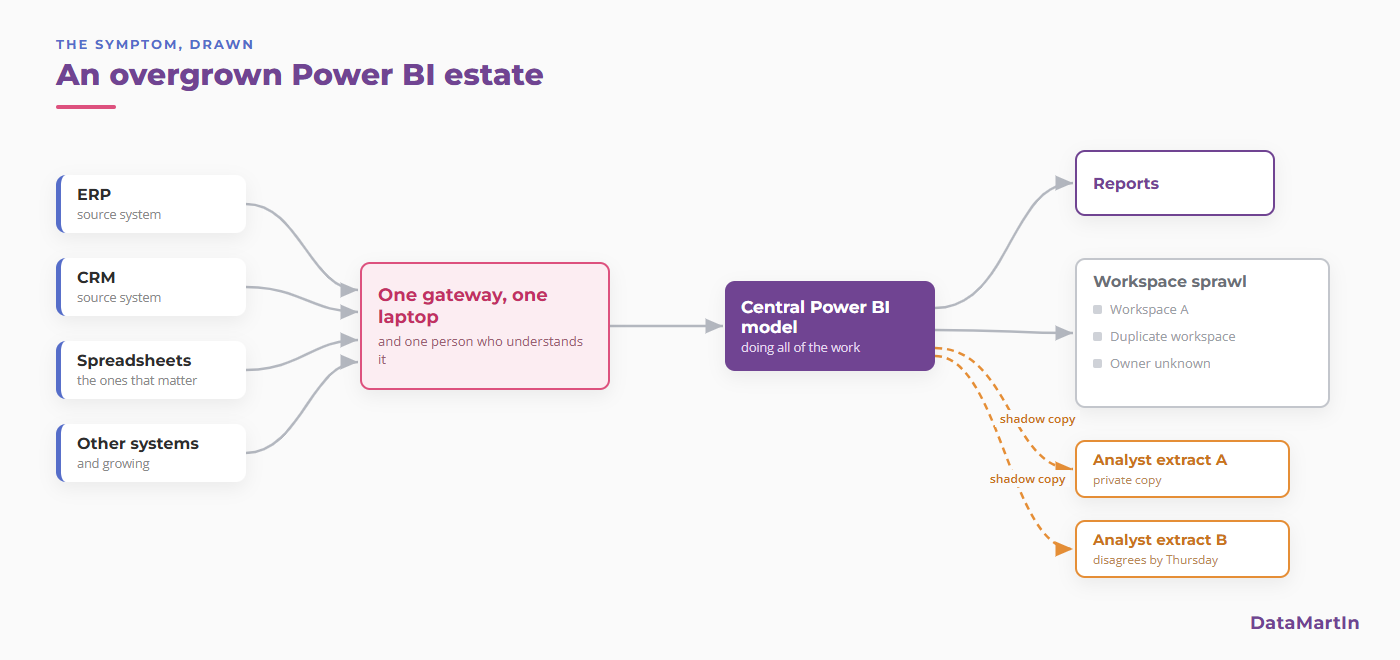
Put four or five of these on one page and they stop looking like separate annoyances. They start looking like an architecture that quietly turned into a single overloaded model and a pile of workarounds around it.
You recognized a few. Now what?
First, do not read this as a pitch for a migration. It is not. Recognizing three or four of these does not mean you buy a platform next week. It means you have a timing question to answer, and timing questions have more than two answers. I wrote a whole piece on whether you actually need Microsoft Fabric, or Power BI is enough, and the short version is that “not yet” and “it is time” are both honest answers, and so is “fix the model and revisit in a year.”
So count your signals, honestly. Zero or one, you are fine, go tune that refresh. Two or three, it is worth a proper look before the workarounds pile any higher. Four or more, you probably crossed the line a while ago and have been paying for it in small daily frustrations ever since.
Either way, the thing that actually tells you is not a blog post, it is your own estate drawn on one page.
If you want a second pair of eyes
That is the whole idea behind the free assessment I run, Can Fabric Help Me. Three sessions over three weeks. We map what your estate really does today, I come back with a straight verdict, and you keep the written report no matter what it says.
And the verdict is genuinely one of three. Fabric now, if something already hurts. Fabric later, with the preconditions spelled out, if the signs are there but it is not time yet. Or not Fabric at all, with what to do instead, if a tuned Power BI setup is still the right tool for the job. I give that last answer more often than you would expect from someone who could just sell you the bigger thing.